What is OutOnTime?
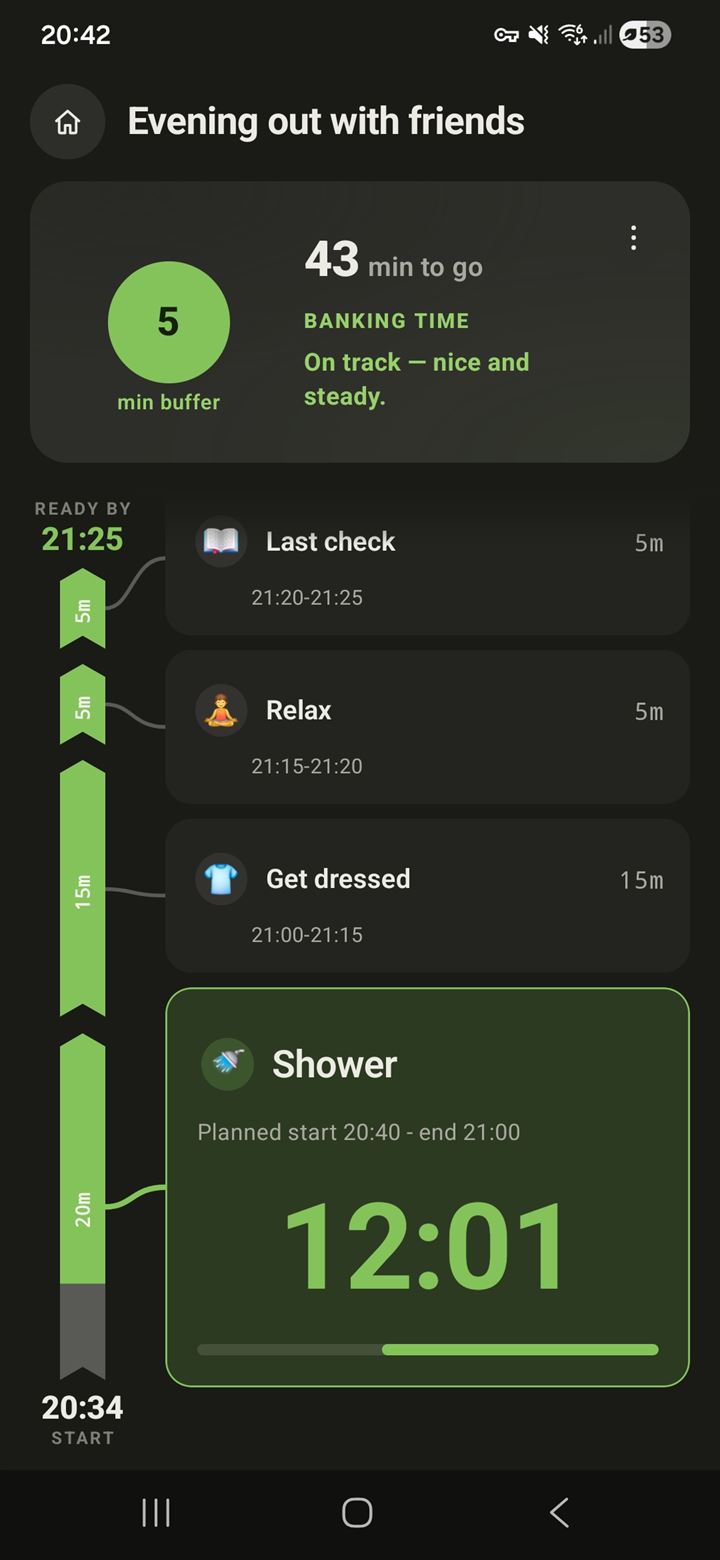
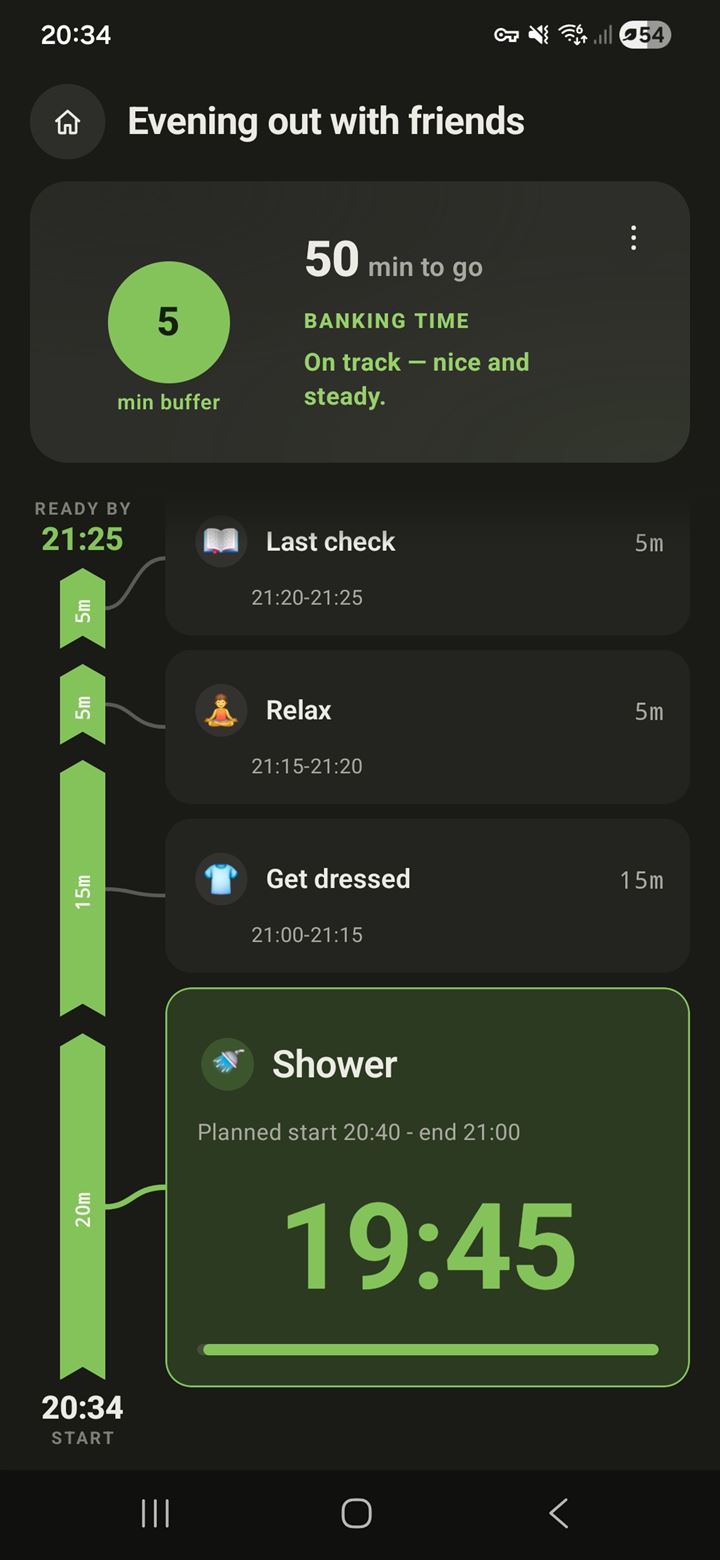
OutOnTime is a routine timer for Android that turns a deadline into a paced, step-by-step plan. You set when it has to be done and what the routine involves; it computes when to start, guides you through each step, and shows whether you're still on track — live.
Is OutOnTime a routine timer app?
Yes — a routine timer with a deadline. Habit and routine apps time your steps but float free of the clock; OutOnTime anchors the whole routine to a Ready-by time, computes when to start, and paces you so the last step ends exactly when it has to be done. Closer to a companion than a countdown.
How is it different from an alarm, a calendar, or a "when to leave" calculator?
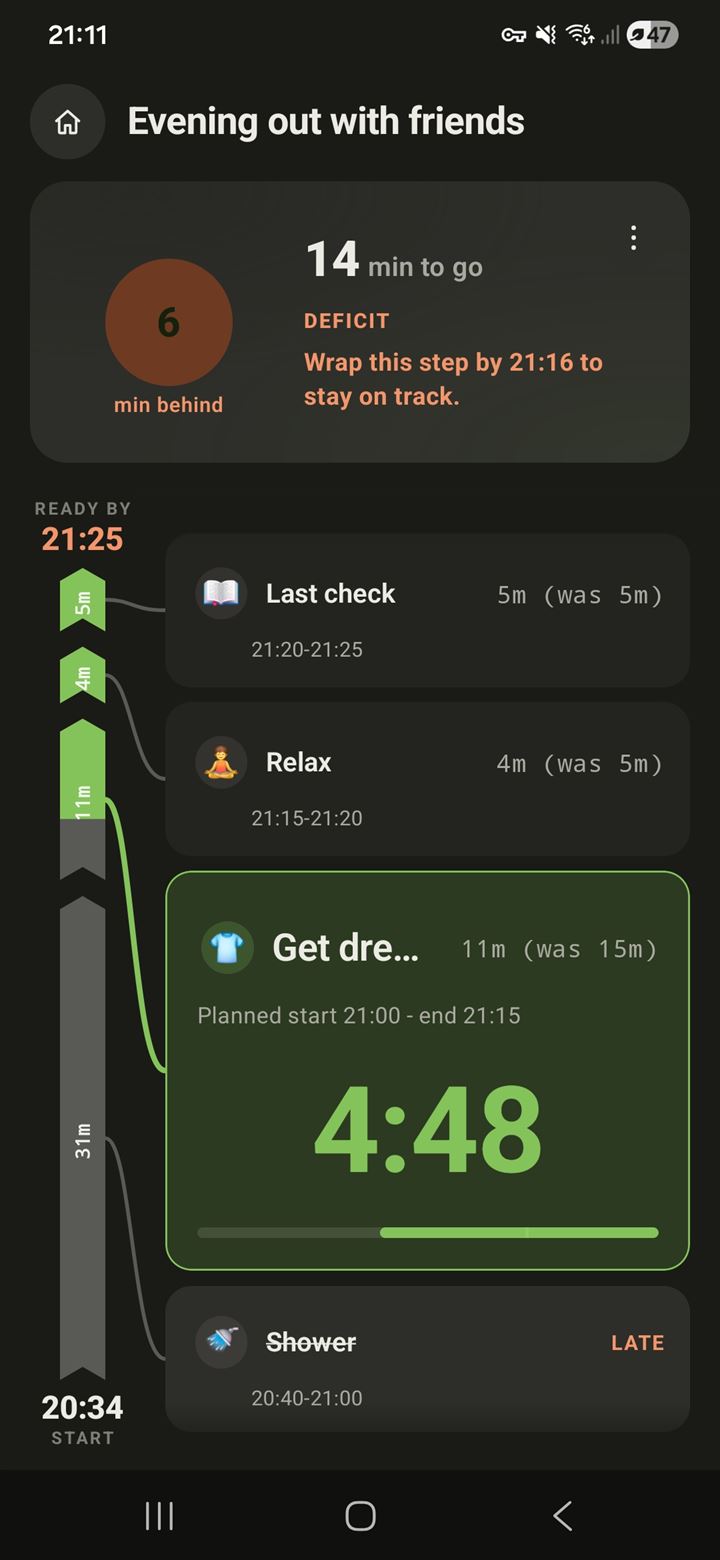
An alarm marks one moment and a calendar tells you where to be — neither knows what the routine actually involves. A "when to leave" calculator computes a start time, then leaves you on your own. OutOnTime manages the stretch in between: your real steps, planned backwards from the deadline, paced live, with a single honest buffer showing whether you'll make it — and concrete catch-up guidance when a step runs over.
What happens when I fall behind?
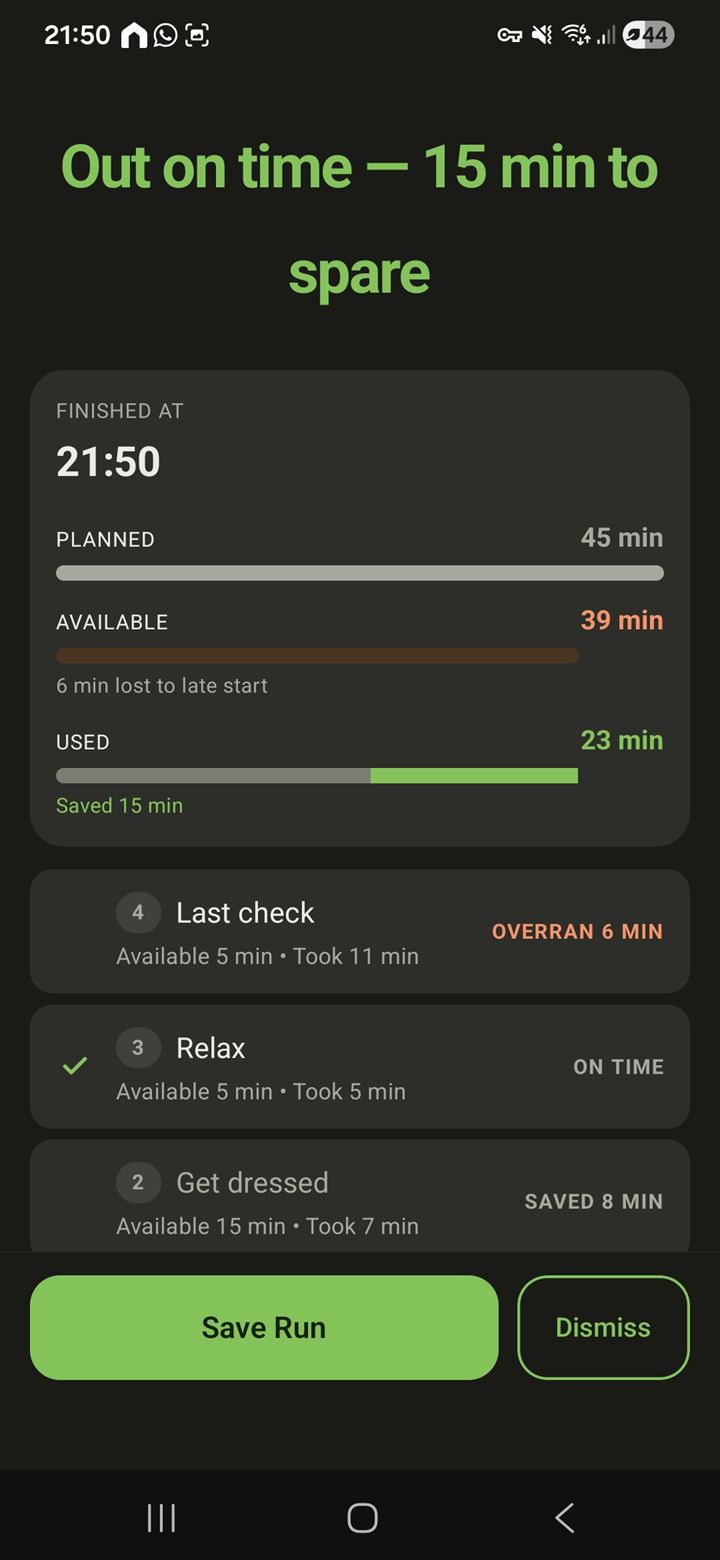
The remaining steps re-pace themselves, and the app tells you the one thing that matters: when to wrap the current step to get back on track. Afterwards, the debrief shows where the time really went, and your On-Time Standing never resets to zero — recovery is designed in, punishment isn't.
How do I actually get out the door on time?
The research points to three moves: list your real steps instead of one vague "get ready", plan backwards from your leave time, and rely on external cues instead of watching the clock. OutOnTime automates all three — and after each run, its debrief shows which steps actually ran long, so you can give them the minutes they really need. There's a
full guide in our field notes.
Do I need to create an account?
No. OutOnTime is local-first — no account, no sign-up. It works offline and your data stays on your phone.
Will it notify me, even on my watch?
Yes. It reminds you to start — with an optional full-screen alarm-style start if you want it — cues each step, and warns you if you fall behind. And because these are standard Android notifications, they mirror automatically to a paired Wear OS watch. No separate watch app needed.
Is OutOnTime only for mornings?
Not at all. The same engine powers one-off deadlines (a flight, an appointment, a dinner you're hosting) and recurring routines (weekday mornings, the school run, workouts, wind-down). A Flow is a Flow — some run once, some repeat.
Is OutOnTime only for people with ADHD?
No. It's built on time-perception and planning research that applies to almost everyone — the
planning fallacy is universal. That said, if you experience
time blindness, which is common with ADHD, the design leans directly on that research: external cues instead of clock-watching, time made visible, and no punishment mechanics. OutOnTime is a planning tool, not a medical treatment.
How much does it cost?
OutOnTime is free to use, and it shows no ads — and it never will. It's built to earn its place by being genuinely useful, not by selling your attention or your data.
How do I join the beta?
OutOnTime is in open testing on Google Play. Open the
Google Play listing, tap
Join the beta, then install. Android for now.